Rajeev Kumar
New member
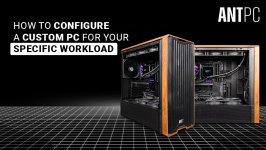
Choosing a new computer has become more complicated than simply deciding how much RAM or storage is required. Modern workloads can vary significantly, from gaming and content creation to artificial intelligence, engineering, 3D rendering, and professional software development. As a result, many users are moving toward systems configured around their specific requirements.
A PC Builder can simplify this process by allowing users to select individual components and create a system that matches their workload instead of relying entirely on standard configurations.
The value of a PC Builder goes beyond component selection. A well-planned configuration should consider compatibility, power requirements, thermal performance, expansion options, and the way the system will actually be used.
For example, a workstation intended for GPU-intensive applications will have very different requirements from a desktop primarily used for office applications.
Rather than purchasing a fixed specification, users can prioritize the components that have the greatest impact on their applications. Someone working with large datasets may prioritize memory capacity, while a 3D artist may place greater emphasis on GPU performance. Similarly, a developer working with virtual machines may need a strong multi-core processor and substantial RAM.
This flexibility is one of the main reasons custom configurations remain popular among technically demanding users.
The GPU becomes particularly important for workloads such as 3D rendering, AI development, video processing, visualization, and GPU-accelerated applications.
However, choosing the highest-end CPU or GPU is not always the best approach. The components should complement each other rather than creating an expensive configuration where one part remains underutilized.
Storage also deserves careful consideration. NVMe SSDs can provide significantly faster application and file-access performance than traditional hard drives. A combination of high-speed primary storage and larger secondary storage can often provide a practical balance between performance and capacity.
An inadequate cooling solution can lead to higher temperatures and reduced sustained performance. Similarly, the power supply should provide sufficient capacity and appropriate efficiency for the complete configuration, including future upgrades.
These factors are particularly important when creating a custom build PC with high-performance processors or graphics cards.
Motherboard capabilities, available PCIe slots, memory slots, storage interfaces, case dimensions, and power supply capacity can all influence future upgrade options.
Planning for expansion at the configuration stage can prevent unnecessary limitations later.
A PC Builder can help users compare different combinations, while a workload-based approach helps determine which components deserve priority.
Whether the system is intended for professional applications, creative work, development, research, or demanding everyday use, understanding the relationship between components is essential before making a purchase.
The goal should not simply be to build the most powerful computer possible. It should be to build a system where the hardware is properly matched to the work it is expected to perform.
A PC Builder can simplify this process by allowing users to select individual components and create a system that matches their workload instead of relying entirely on standard configurations.
What Is a PC Builder?
A PC Builder is a configuration tool or service that helps users select compatible computer components. Depending on the platform, it may include processors, graphics cards, motherboards, memory, storage, power supplies, cooling solutions, and cases.The value of a PC Builder goes beyond component selection. A well-planned configuration should consider compatibility, power requirements, thermal performance, expansion options, and the way the system will actually be used.
For example, a workstation intended for GPU-intensive applications will have very different requirements from a desktop primarily used for office applications.
Understanding the Custom Build PC Approach
A custom build PC allows users to determine how the available budget is distributed across the system.Rather than purchasing a fixed specification, users can prioritize the components that have the greatest impact on their applications. Someone working with large datasets may prioritize memory capacity, while a 3D artist may place greater emphasis on GPU performance. Similarly, a developer working with virtual machines may need a strong multi-core processor and substantial RAM.
This flexibility is one of the main reasons custom configurations remain popular among technically demanding users.
CPU and GPU Selection
The processor is one of the most important decisions in any PC configuration. CPU performance matters for applications that depend heavily on multi-core processing, compilation, simulation, and general system responsiveness.The GPU becomes particularly important for workloads such as 3D rendering, AI development, video processing, visualization, and GPU-accelerated applications.
However, choosing the highest-end CPU or GPU is not always the best approach. The components should complement each other rather than creating an expensive configuration where one part remains underutilized.
Memory and Storage Matter Too
System memory can have a major effect on professional workloads. Applications involving large datasets, high-resolution media, virtual machines, or complex scenes can quickly exceed the capacity suitable for a typical desktop.Storage also deserves careful consideration. NVMe SSDs can provide significantly faster application and file-access performance than traditional hard drives. A combination of high-speed primary storage and larger secondary storage can often provide a practical balance between performance and capacity.
Cooling and Power Delivery
Performance tell specifications only part of the story. A system running demanding workloads for several hours requires appropriate cooling and power delivery.An inadequate cooling solution can lead to higher temperatures and reduced sustained performance. Similarly, the power supply should provide sufficient capacity and appropriate efficiency for the complete configuration, including future upgrades.
These factors are particularly important when creating a custom build PC with high-performance processors or graphics cards.
Plan for Future Upgrades
A PC should not necessarily be designed only for today's requirements. Users should consider whether they may need additional memory, storage, graphics performance, or expansion cards later.Motherboard capabilities, available PCIe slots, memory slots, storage interfaces, case dimensions, and power supply capacity can all influence future upgrade options.
Planning for expansion at the configuration stage can prevent unnecessary limitations later.
The Importance of Workload-Based Configuration
The best PC configuration is rarely the one with the longest specification sheet. It is the one that provides the right balance of performance, reliability, compatibility, and cost for the intended workload.A PC Builder can help users compare different combinations, while a workload-based approach helps determine which components deserve priority.
Whether the system is intended for professional applications, creative work, development, research, or demanding everyday use, understanding the relationship between components is essential before making a purchase.
Final Thoughts
Building a PC around specific requirements offers considerably more flexibility than choosing a fixed configuration. A carefully planned custom build PC can provide the right combination of processing power, graphics performance, memory, storage, cooling, and upgrade potential.The goal should not simply be to build the most powerful computer possible. It should be to build a system where the hardware is properly matched to the work it is expected to perform.